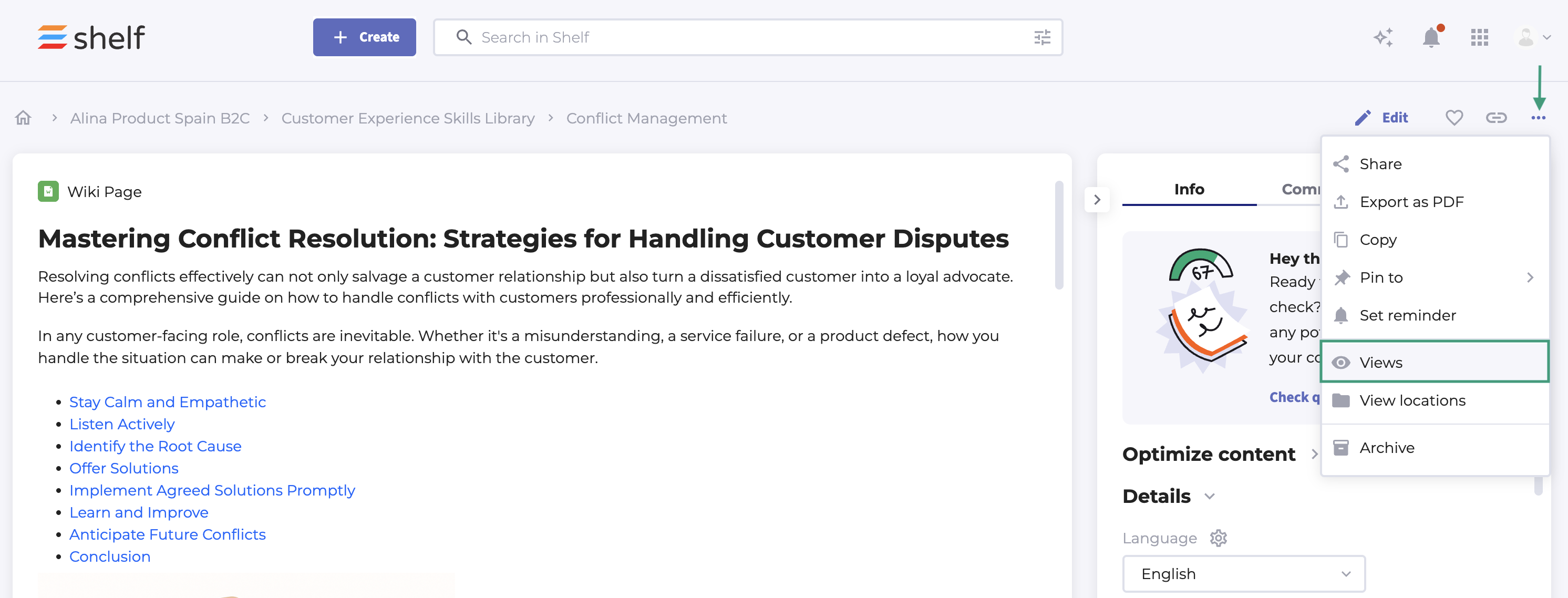
To see how often a particular Gem has been viewed, click the three dots in the top right corner. Then select VIEWS.
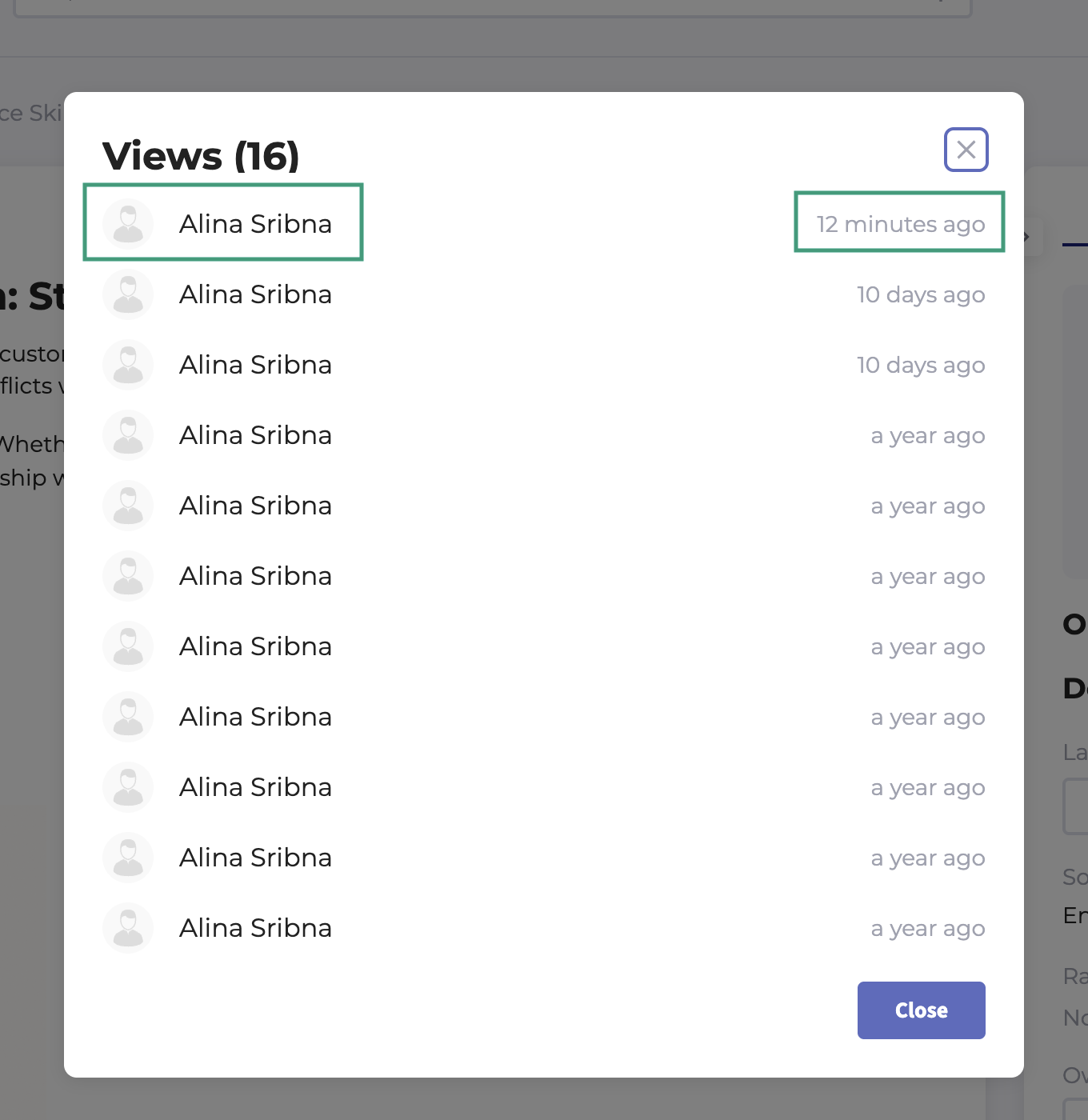
You’ll see both the view date and the full name of each viewer.
© Shelf all rights reserved.

Total number of views per Gem; full names and date viewed are shown.
© Shelf all rights reserved.